
Original
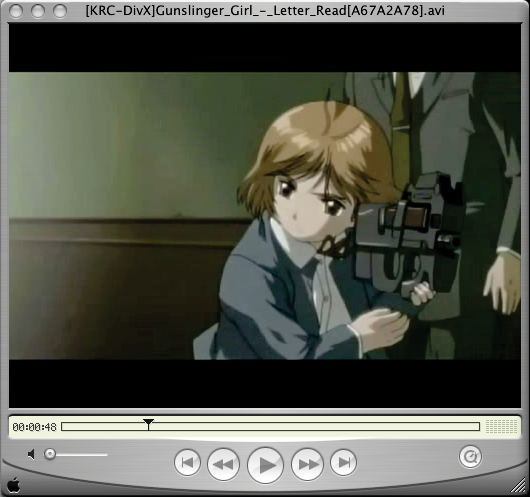
DivX 4.1.2
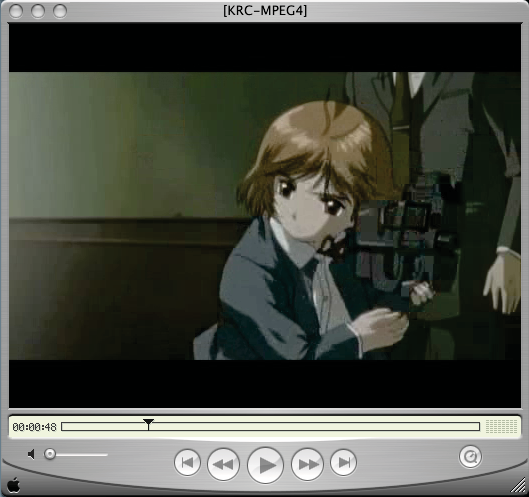
MPEG4
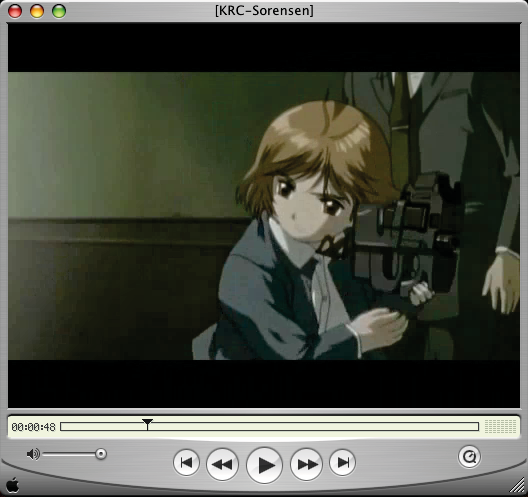
Sorensen Video 3
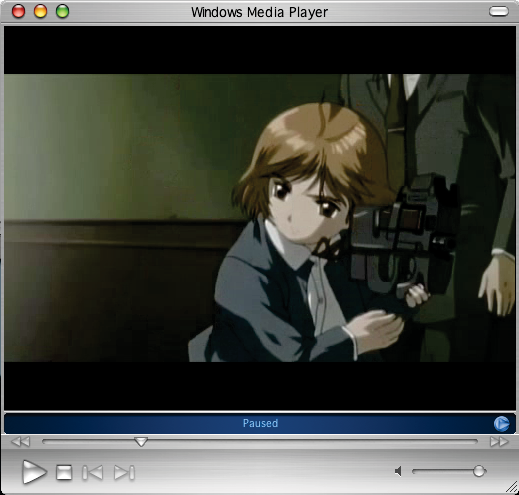
Windows Media Video 7
Comparing Codecs
I recommend before going any further, you should read up on this article. It explains what to look for when comparing codecs.
If you were to compare DivX, Sorensen Video 3, MPEG-4, and Windows Media, here's what you'd get. All of them encoded through Discreet's Cleaner 6 without any pre-processing effects (except for resize to 512x384) and at 1152 kbps (or 144 kbytes/sec) for the video track. (except for the DivX clip which D-Volution was used to convert the DV file instead of Cleaner)
|
|
DivX 4.1.2 |
MPEG4 |
Sorensen Video 3 |
Windows Media Video 7 |
Here's a quick watered-down blurb on what I think: MPEG4 looks obviously messed up and blocky, especially around the machine gun where lots of drawn lines are present versus the wall and the two characters. Sorensen Video 3 shows blocks upon the colour blending of the wall however, the quality around the characters are within acceptable range. Windows Media can be somewhat compared to DivX in a way, although it's somewhat darker than the other three encodes. Maybe it has something to do with Windows Media Player. In DivX 4, there are almost no new artifacts introduced . Additionally DivX also comes with various deblocking features during the encoding process so in some cases, it might actually remove artifacts from the original video during a multi-pass encode.
You be the judge and find out what looks better to you. It is your video after all, but here's my personal opinion: I would never release anything using RealMedia. Not because Real only has their Producer software up to version 8.5 for Mac while Windows and Linux are at version 10 but I was told that the Real Player software installs additional unwanted things in the system and since security is a big issue, if some kind of ad-ware or spy-ware or whatever evil-ware is tagged along with a normal installation, people will panic once they find out. In the Mac OS X version, it's just a drag-n-drop installation instead of some weird installer. I guess the Windows installer might have some weird strings attached to it. I don't know. I never had problems with Real Player when I was a Windows user. For the other formats, I would use QuickTime and Windows Media for trailers and short previews (but with a smaller encoding bitrate, smaller video size, and with QDesign sound on QuickTime), however, if quality is a concern say for full music videos or compiled works, then DivX would be more desirable, especially if it might be viewed in a public gathering like an AnimeCon or a MUG meeting.
DISCLAIMER: In my opinion, this is not a reliable example to go by because the DV frame was originally 720x480 (DV-NTSC), which is 3:2, not 4:3 like 640x480 and 512x384. I resized it back 640x480 when taking a screen grab from VLC. Second, before it was a DV frame, it was a frame from a fansub which used XVID (according to the FourCC header) and encoded at 640x480. Their encoding more than likely introduced the artifacts into the distributed AVI file. Correct me if I'm wrong but I believe most fansubs are ripped off Japanese cable TV unless otherwise noted. Third, this is just one frame out of almost 7000 frames in this video clip. I'm sure each codec has its ups and downs when the player decodes each frame of the film. Fourth, since I'm using DivX 4 instead of DivX 5 and WMV7 instead of WMV9, it seems rather off-key to compare old codecs, but since there is no WMV9 encoder for Mac, I'm stuck with what Cleaner spits out. Additionally, DivX 5 refuses to export as an AVI properly from iMovie and Cleaner won't export to RealVideo unless I use OS9, which seems rather bizarre in a way. Using an uncompressed DVD-rip would have provided a better example to use. I'm sure there's another site out there that compares different video codecs way much better than I do.