The Idiots Guide to Vegas

For help and discussion concerning Magix's (formerly Sony's) Movie Studio and Vegas Pro editing software.
Post Reply
User avatar
AimoAio
Being elegantly...lazy
Joined: Sun Mar 16, 2008 12:19 pm
Location: Somewhere
Contact:
Org Profile

Post by AimoAio » Tue May 06, 2008 2:59 pm

thanks :)

I have another problem again.

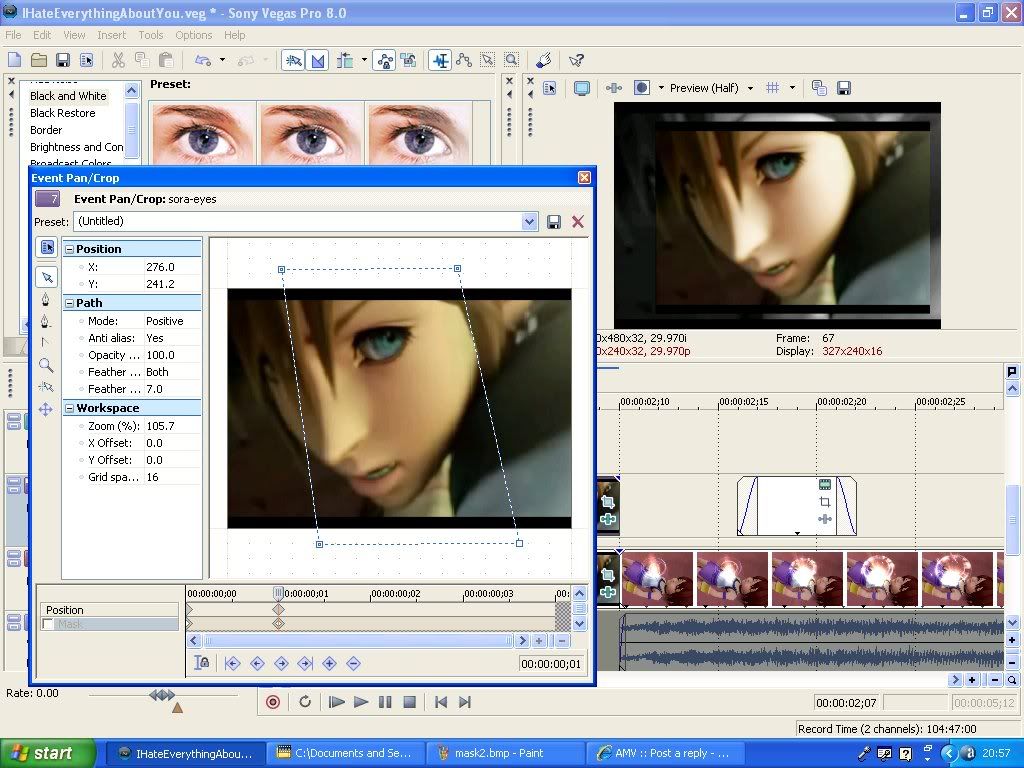
Right see in the image below?What I want is the same image,showing the same section(the whole image-same as black and white part only smaller) but fitting into the masked coloured section.

Image

Image

User avatar
AimoAio
Being elegantly...lazy
Joined: Sun Mar 16, 2008 12:19 pm
Location: Somewhere
Contact:
Org Profile

Post by AimoAio » Tue May 06, 2008 3:01 pm

So I want Sora's face to be rescaled smaller,still with the same part(no masked out parts or cropped off bits)fitted into the parallelogram(the coloured part-I just want that shape but with all of sora's face instead of only a part)

I know I'm confusing so if your puzzled by what I'm asking,please ask me so I can help you help me solve my problem :)

User avatar
JaddziaDax
Crazy Cat Lady!
Joined: Tue Mar 16, 2004 6:25 am
Status: I live?
Location: Somewhere I think O.o
Contact:
Org Profile

Post by JaddziaDax » Tue May 06, 2008 5:13 pm

uh im not sure what you are looking to do... but what is the problem? is it the borders? or is it the fact you don't know how to pan out the clip? or what?

User avatar
AimoAio
Being elegantly...lazy
Joined: Sun Mar 16, 2008 12:19 pm
Location: Somewhere
Contact:
Org Profile

Post by AimoAio » Tue May 06, 2008 5:32 pm

Um I think what I'm looking for is how to pan the clip.Not really good at that and resizing the clip,yeah defienetly need help there :(

User avatar
JaddziaDax
Crazy Cat Lady!
Joined: Tue Mar 16, 2004 6:25 am
Status: I live?
Location: Somewhere I think O.o
Contact:
Org Profile

Post by JaddziaDax » Tue May 06, 2008 6:00 pm

Pan/crop works backwards to track motion

Image

Image

Image

User avatar
AimoAio
Being elegantly...lazy
Joined: Sun Mar 16, 2008 12:19 pm
Location: Somewhere
Contact:
Org Profile

Post by AimoAio » Tue May 06, 2008 6:24 pm

hmm ok what I really want is 2 of the same image,one larger and one smaller.And the smaller one goes over the larger one in colour so its like the black and white background image is like a background for the smaller image :\ confusing lol but I think I kind of understand panning/cropping now so I'll play around with it tomorrow.Thanks :)

User avatar
JaddziaDax
Crazy Cat Lady!
Joined: Tue Mar 16, 2004 6:25 am
Status: I live?
Location: Somewhere I think O.o
Contact:
Org Profile

Post by JaddziaDax » Tue May 06, 2008 6:36 pm

Image

like this?

User avatar
AimoAio
Being elegantly...lazy
Joined: Sun Mar 16, 2008 12:19 pm
Location: Somewhere
Contact:
Org Profile

Post by AimoAio » Wed May 07, 2008 4:55 am

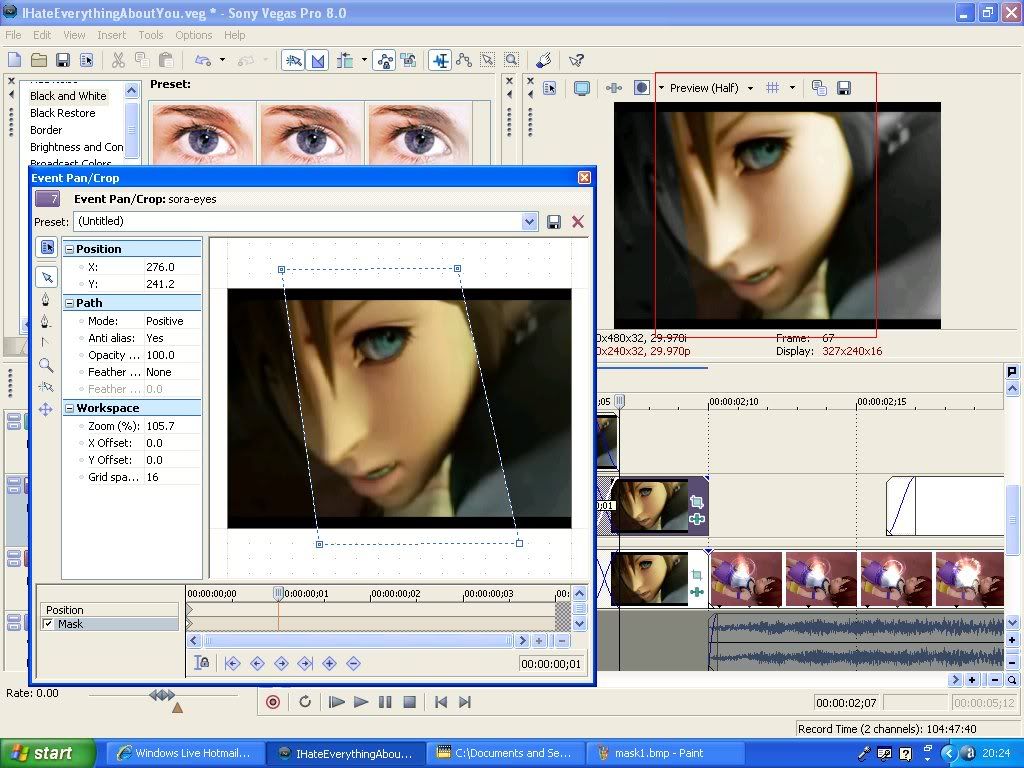
yes!but I want the top and bottom part of the clip to match with the one in the background(no spaces between) because when I make the image smaller it doesnt fit right

User avatar
JaddziaDax
Crazy Cat Lady!
Joined: Tue Mar 16, 2004 6:25 am
Status: I live?
Location: Somewhere I think O.o
Contact:
Org Profile

Post by JaddziaDax » Wed May 07, 2008 4:03 pm

have you tried messing with the cookie cutter function?

User avatar
AimoAio
Being elegantly...lazy
Joined: Sun Mar 16, 2008 12:19 pm
Location: Somewhere
Contact:
Org Profile

Post by AimoAio » Thu May 08, 2008 5:33 pm

um nope,I've only used the circle and square cutter before

Post Reply

Return to “Movie Studio & Vegas Pro”