Hello,
I won't to put my mkv file in VirtD but when I open the file in, virtD just shuts down, and the message with the
"Send - Dont send this problem" comes up.
Please help Micktam12
mkv problems
-
micktam12
- Joined: Sat Dec 06, 2008 11:12 pm
- Location: Aussie homeland XD
- Contact:
-
Kariudo

- Twilight prince
- Joined: Fri Jul 15, 2005 11:08 pm
- Status: 1924 bots banned and counting!
- Location: Los taquitos unidos
- Contact:
Re: mkv problems
make a quick avisynth script and load that into vdub instead
Directshowsource() should do ya fine
google ffmpegsource() if it doesn't
Directshowsource() should do ya fine
google ffmpegsource() if it doesn't


-
micktam12
- Joined: Sat Dec 06, 2008 11:12 pm
- Location: Aussie homeland XD
- Contact:
-
mirkosp

- The Absolute Mudman
- Joined: Mon Apr 24, 2006 6:24 am
- Status: (」・ワ・)」(⊃・ワ・)⊃
- Location: Gallarate (VA), Italy
- Contact:

-
micktam12
- Joined: Sat Dec 06, 2008 11:12 pm
- Location: Aussie homeland XD
- Contact:
-
Corran

- Joined: Mon Oct 14, 2002 7:40 pm
- Contact:
Re: mkv problems
Did you install CCCP like Mirko recommended?
-
TheJadeArcAngel

- Joined: Fri Nov 05, 2004 2:38 pm
Re: mkv problems
Hey,
I am having the same problem. I am on a MacBookPro w/ Crossover. i downloaded and 'installed' CCCP ...
I get the same msg still when I try and load an MKV file
I am having the same problem. I am on a MacBookPro w/ Crossover. i downloaded and 'installed' CCCP ...
I get the same msg still when I try and load an MKV file

-
Corran
- Joined: Mon Oct 14, 2002 7:40 pm
- Contact:
Re: mkv problems
And you are loading with avisynth's directshowsource?TheJadeArcAngel wrote:Hey,
I am having the same problem. I am on a MacBookPro w/ Crossover. i downloaded and 'installed' CCCP ...
I get the same msg still when I try and load an MKV file
-
TheJadeArcAngel
- Joined: Fri Nov 05, 2004 2:38 pm
Re: mkv problems
 K, well, i re-installed the codec + the programs ( CCCP, etc... )
Everything works amazingly!
-
micktam12
- Joined: Sat Dec 06, 2008 11:12 pm
- Location: Aussie homeland XD
- Contact:
Re: mkv problems
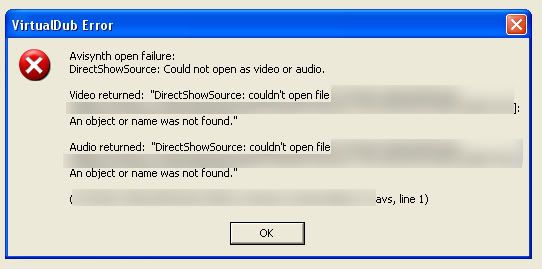
i installed the program but the message still comes up, maybe it is the script that im stuffing up on, is this correct
Directshowsource("where my file is")
save as avs
Import in to Vdub?
Directshowsource("where my file is")
save as avs
Import in to Vdub?
